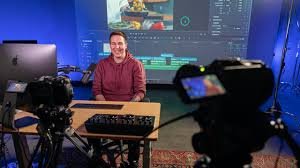
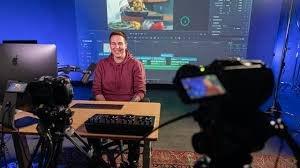
Casey Faris – Color Correction in DaVinci Resolve
$49.00 Original price was: $49.00.$24.00Current price is: $24.00.

Casey Faris – Color Correction in DaVinci Resolve
Color correction is one of the most important steps in video editing and post-production. Without proper color balance and grading, even the best-shot footage can look dull, inconsistent, or unprofessional. Casey Faris – Color Correction in DaVinci Resolve is designed to help editors, filmmakers, and content creators understand how to fix and enhance their footage using professional techniques.
DaVinci Resolve has become the industry standard for color grading because of its powerful tools, node-based workflow, and advanced color science. Through structured lessons and practical examples, this training focuses on transforming raw footage into visually stunning videos.
Whether you are a beginner just starting with DaVinci Resolve or an experienced editor who wants to refine color grading skills, learning from Casey Faris provides a clear and easy-to-follow path.
Why Color Correction Matters in Video Editing
Color correction ensures that every shot in a video looks balanced, natural, and consistent. Cameras capture light differently depending on settings, lighting conditions, and sensors. Because of this, footage often needs adjustments before it looks professional.
Here are the main reasons color correction is essential:
1. Correcting Exposure Issues
Sometimes footage may appear too bright or too dark. Proper color correction adjusts highlights, shadows, and midtones so that the image looks balanced.
2. Fixing White Balance
Lighting conditions can cause footage to look too warm (orange) or too cool (blue). Adjusting white balance ensures that colors appear natural.
3. Matching Multiple Shots
When filming with different cameras or at different times of day, shots may not match. Color correction ensures consistency across all clips.
4. Preparing for Color Grading
Before applying cinematic looks, the footage must first be corrected and balanced.
This is where learning structured workflows becomes extremely valuable.
Introduction to DaVinci Resolve
DaVinci Resolve is one of the most powerful video editing and color grading software tools available today. It is widely used in film production, YouTube content creation, commercials, and documentaries.
Key features include:
Advanced color grading tools
Node-based color workflow
HDR color grading
Built-in video editing suite
Fusion visual effects
Fairlight audio editing
Because everything is integrated into one platform, editors can manage the entire post-production process without switching software.
What You Learn in Casey Faris – Color Correction in DaVinci Resolve
This training focuses on helping editors understand how to use Resolve’s professional tools without confusion.
Understanding the Color Page
The color page is where most grading work happens. It includes tools like:
Color wheels
Scopes
Node editor
Qualifiers
Power windows
Learning how these tools interact is the foundation of professional grading.
Using Scopes for Accurate Color
Scopes are critical when correcting footage because they provide objective data about brightness and color levels.
Common scopes include:
Waveform
Shows brightness levels across the image.
Vectorscope
Displays color intensity and saturation.
Histogram
Shows tonal distribution of the image.
By relying on scopes rather than guessing visually, editors achieve much more consistent results.
Primary Color Correction
Primary corrections adjust the overall image.
These adjustments include:
Exposure correction
Contrast adjustment
White balance correction
Saturation control
Primary grading ensures the footage looks natural before applying stylistic looks.
Secondary Color Correction
Secondary color correction targets specific parts of the image rather than the entire frame.
Examples include:
Changing skin tone color
Adjusting sky color
Enhancing specific objects
Tools used for secondary correction include:
Qualifiers
Power windows
Tracking tools
These features allow precise adjustments that dramatically improve visual quality.
Understanding the Node-Based Workflow
One of the most powerful aspects of DaVinci Resolve is its node system.
Unlike traditional layer-based editing, nodes allow editors to build complex grading structures.
Advantages of Nodes
Non-destructive editing
Easy adjustments and modifications
Flexible workflow
Organized grading process
Common node structures include:
Primary correction node
Secondary adjustment node
Look creation node
Final output node
Learning node workflows helps editors create consistent and professional color grades.
Creating Cinematic Looks
After correcting footage, editors often apply creative color grading to establish a specific mood.
Popular cinematic styles include:
Film Look
Soft contrast with natural colors.
Teal and Orange
Common in Hollywood movies for dramatic visuals.
High Contrast Look
Used for action or intense scenes.
Vintage Style
Muted colors and faded highlights.
The key to achieving great results is balancing creative looks without destroying natural skin tones.
Using LUTs in DaVinci Resolve
LUTs (Look Up Tables) are preset color transformations that change the appearance of footage instantly.
They are commonly used for:
Converting log footage to standard color
Applying cinematic looks
Speeding up grading workflows
However, LUTs should not replace proper color correction. Instead, they work best after the footage has been balanced.
Professional Workflow for Color Correction
A professional grading workflow generally follows these steps:
Import footage
Balance exposure
Correct white balance
Adjust contrast
Refine saturation
Apply secondary corrections
Add creative color grading
Export final video
Following a structured workflow helps editors maintain consistency across projects.
Tips for Better Color Correction
Improving color grading skills takes time and practice. Here are some important tips:
Always Use Scopes
Relying only on the monitor can lead to incorrect color decisions.
Work in Proper Lighting
Editing in a controlled lighting environment improves color accuracy.
Avoid Over-Saturation
Too much color saturation can make footage look unnatural.
Protect Skin Tones
Skin tones should remain natural even when applying creative looks.
Use Nodes Strategically
Keeping nodes organized helps manage complex grades.
Who Should Learn Color Correction in DaVinci Resolve
This type of training is useful for many types of creators:
YouTubers
Improve video quality and visual consistency.
Filmmakers
Create cinematic looks for short films and movies.
Freelance Editors
Deliver higher-quality work to clients.
Content Creators
Make social media videos more visually appealing.
Video Production Teams
Improve professional post-production workflows.
With the growing demand for high-quality video content, color grading has become an essential skill.
Benefits of Mastering Color Correction
Learning professional grading techniques offers several advantages:
Higher-quality videos
Better storytelling through visuals
Increased client satisfaction
Competitive advantage in editing industry
Faster post-production workflow
Editors who understand color science and grading techniques are highly valued in video production.
Final Thoughts
Mastering color correction can dramatically improve the visual quality of any video project. By understanding exposure, color balance, node workflows, and cinematic grading techniques, editors gain full control over the look and feel of their footage.
Casey Faris – Color Correction in DaVinci Resolve provides practical knowledge that simplifies complex grading concepts. Instead of feeling overwhelmed by advanced tools, editors learn a clear workflow that leads to consistent and professional results.
As video content continues to dominate online platforms, investing time in color grading skills is one of the best ways to elevate production quality and stand out in a competitive creative industry.